


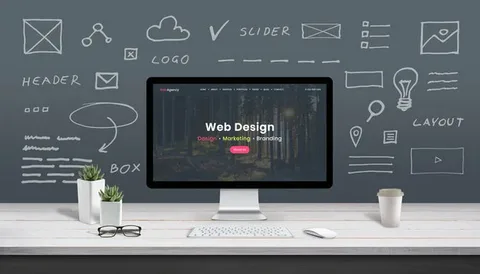
In today’s digital era, web design has become more than just aesthetics—it’s about creating seamless user experiences and visually compelling websites. Whether you are a seasoned professional or just starting, knowing the right tools can dramatically improve your workflow and the quality of your projects. In this article, we’ll explore the essential web design tools every designer should know to stay ahead in the competitive design landscape.
1. Design and Prototyping Tools
Creating wireframes, mockups, and prototypes is a crucial first step in web design. These tools allow designers to visualize ideas before they go into development.
- Adobe XD: A versatile tool for designing interactive prototypes with ease. Its integration with other Adobe products makes it ideal for designers who are already in the Adobe ecosystem.
- Figma: Figma is popular for its cloud-based collaboration features, allowing multiple team members to work on a design in real-time.
- Sketch: Primarily for Mac users, Sketch is known for its vector-based interface and extensive library of plugins.
These tools help designers communicate ideas effectively and save time during the iterative design process.
2. Graphic Design Tools
Visual content plays a pivotal role in modern web design. High-quality graphics, illustrations, and images make websites more engaging.
- Adobe Photoshop: A classic tool for photo editing and graphics creation, ideal for crafting custom visuals.
- Canva: A beginner-friendly tool perfect for quick design tasks, templates, and social media graphics.
- Illustrator: Excellent for vector graphics, logos, and scalable design elements that maintain quality across devices.
3. Web Development and Coding Tools
Even if you focus on design, understanding development tools can streamline collaboration with developers.
- Visual Studio Code: A lightweight, customizable code editor that supports multiple programming languages.
- Sublime Text: Known for speed and efficiency, this editor is popular among designers who also code.
- CodePen: Ideal for testing small snippets of HTML, CSS, and JavaScript, making it easier to experiment with design ideas.
4. Collaboration and Project Management Tools
Modern web design projects often involve multiple team members. Using the right collaboration tools ensures smooth communication and task management.
- Trello: A visual task management tool that keeps projects organized.
- Slack: Facilitates real-time communication among team members.
- Notion: Combines documentation, notes, and project management in one platform.
Conclusion
Mastering the essential web design tools every designer should know is critical for producing high-quality websites efficiently. From design and prototyping to coding and collaboration, having the right tools in your arsenal empowers you to create engaging and functional web experiences. Whether you are a beginner or an experienced designer, exploring these tools can elevate your workflow and help you stay competitive in the ever-evolving world of web design.
